
01
RS-232 serial scale support
Read any scale with a DB9 or DB25 serial port. Continuous, stable, on-demand, polling and ask modes all supported.
Bill Redirect is the professional scale software for Windows that captures weight data from any RS-232 serial, USB or Ethernet scale and sends it directly into Excel, your ERP, your POS, a web browser form, or any other Windows application. Works as a keyboard wedge — the weight appears as if you typed it. No driver, no plugin, no programming required. $45 CAD per computer.
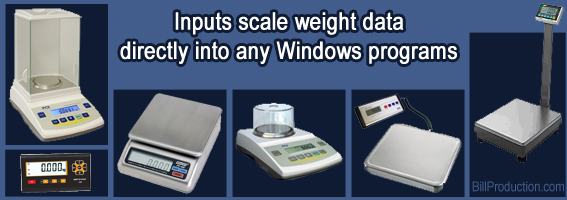
Industrial, parcel, bench and laboratory scales — all connected to Windows through Bill Redirect scale software.
Download the official Bill Redirect manual that matches your scale type.

Step-by-step guide for any scale or balance with a RS-232 Serial Port connection. Includes screenshots and protocol examples.
Download PDF →
Supports several postal scales: USPS Postal & Freightscale, Pitney Bowes, X.J., CHARDER, Pelouze, SANFORD, DYMO, Endicia, ELANE.XM, Elane Plus BT Bluetooth, Stamps.com, Mettler Toledo PS90 / PS60 USB, FAIRBANKS Ultegra series SCB-R9000 USB… ★ USE ONLY IF YOUR SCALE IS USB AND HAS NO SERIAL PORT DRIVER
Download PDF →
Scale software is a Windows program that captures weight measurements from an electronic scale and routes them into other applications on your computer. Without scale software, the weight stays on the scale display — you have to read it and type it manually into your shipping form, Excel sheet, or database. With scale software like Bill Redirect, the weight is transferred automatically.
The most common type — and the one Bill Redirect implements — is the keyboard wedge approach: scale software reads the data stream from your scale (over RS-232, USB or Ethernet), formats it the way you want, and sends it to the active Windows application as if you had typed it on the keyboard. This makes the software universally compatible with any program that accepts keyboard input — Excel, web browsers, custom software, accounting tools, ERPs, POS systems, all of them.
An electronic scale outputs its weight measurement as a data stream — a small sequence of characters like "12.345 kg" or "00012.34LB" sent multiple times per second. The exact format depends on the scale brand and model. Scale software's job is to:
Read any scale with a DB9 or DB25 serial port. Continuous, stable, on-demand, polling and ask modes all supported.
Compatible with USB HID postal scales including Mettler Toledo PS60/PS90, Dymo S100/S150/M25, Pelouze 4040, Fairbanks Ultegra, USPS PS30USB.
Read network-connected scales directly via TCP/IP. Includes a free Serial Port over Ethernet plugin for remote serial scales.
Send weight directly to Excel cells — either as keyboard input or in real time via the free DDE plugin for live spreadsheets.
Any web-based form receives weight automatically. Works with Chrome, Edge, Firefox, Safari — all browsers, all web apps.
Strip ASCII control characters, extract specific fields, convert units, validate stability flags — all configurable without coding.
Connect multiple scales at once on different ports. Route each weight to a different application or all to the same one.
Live weight shown on a floating virtual button — useful for hands-free workflows where the operator doesn't see the scale.
From Windows 98 through Windows 11 — including XP, Vista, 7, 8, 10. Same install, same license, every version.
The same simple process whether your scale is brand new or 20 years old.
Serial scales: plug the DB9 cable into a COM port (or use a USB-to-serial adapter on modern PCs). USB scales: plug into any USB port — Windows recognizes the device automatically as a USB HID class. Ethernet scales: note the IP address and port.
Download the free trial from billproduction.com. Run the installer — Windows 98 through Windows 11 supported, 32-bit and 64-bit.
In Bill Redirect's settings, select your scale's connection: COM port + speed (typically 9600 baud 8N1) for serial, automatic detection for USB, or IP+port for TCP. Click "Open" — you should see the weight stream appear in the RX window.
Pick "Send to keyboard" for universal compatibility (works with any app that has focus). Or "Send to specific application" to target a named window. Or use a plugin (Excel DDE, Web Browser) for advanced routing.
Place your cursor in the target field (Excel cell, web form, ERP weight box, etc.). Place an object on the scale. The weight appears instantly. You're done.
If your scale has an RS-232 serial port, USB output, or TCP/IP network output, it almost certainly works with Bill Redirect scale software.
Detailed model lists are available on the Scale & Balance Software page. Scale not listed? Ask us — integration support is free.
Two free plugins to send your scale weight even further — directly into Microsoft Excel cells, or into a specific field of Google Chrome / Microsoft Edge.
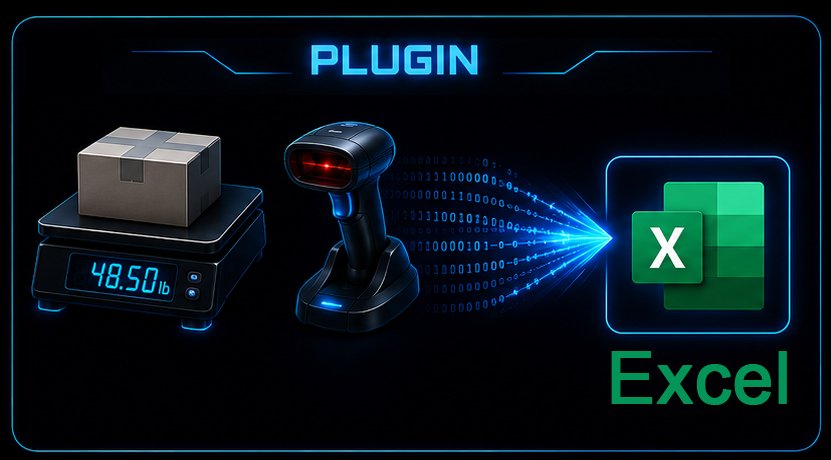 v1.0Q · 2014-06-05
Free resident plugin software that creates a real-time connection between Bill Redirect and your Microsoft Excel. Write the scale weight directly into a specific cell — no manual copy/paste.
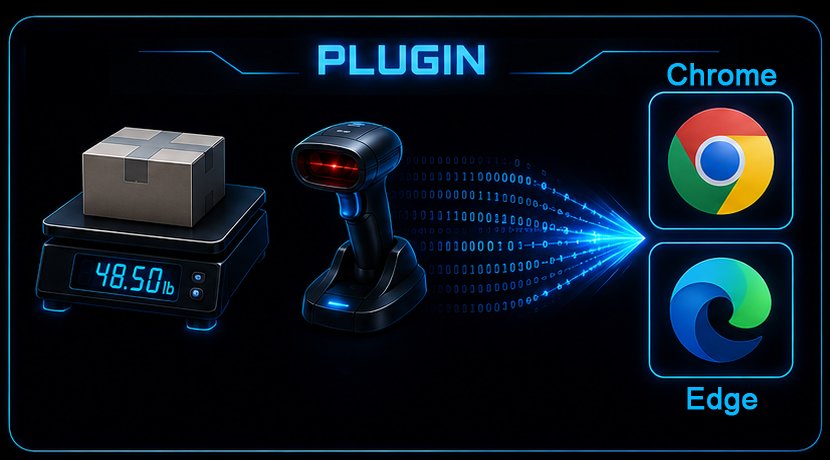 v2026.06.07.13 · Chrome & Edge
Free resident plugin that sends scale weight, barcode scans or any peripheral data directly into a specific field of Google Chrome or Microsoft Edge. Optionally simulate an ENTER key or click a button after filling.
Full-featured trial. Configure your scale in 5 minutes. Buy the license for $45 CAD when you're ready.
One license per computer. Use the Lite or Full interface — same license.
$45 CAD per computer. Works on Windows 98 through Windows 11. Includes free configuration support.
Scale software is a Windows program that captures weight data from an electronic scale (connected via RS-232 serial port, USB or Ethernet) and sends it to another application — typically Excel, an ERP, a POS, a web form, or a custom business application. The most common type works as a keyboard wedge: the weight appears in the application as if you had typed it on the keyboard.
Bill Redirect supports any scale with an RS-232 serial port (DB9 or DB25), any standard USB postal/bench scale, and any scale with TCP/IP Ethernet output. Major brands tested include Mettler Toledo, Ohaus, A&D, Sartorius, Acculab, Fairbanks, Rice Lake, ProScale, Dymo, Pelouze, Pitney Bowes, CHARDER, ELANE and USPS postal scales.
Yes. The weight can be sent to Excel two ways: as keyboard input (place your cursor in a cell, weigh, and the weight is typed in) or via DDE using the free Bill Redirect Excel plugin, which writes the weight to a specific cell in real time.
Bill Redirect costs $45 CAD per computer. You can download a free trial to test it with your scale before purchasing. The trial is full-featured.
No special driver is needed for RS-232 serial scales — Windows handles the COM port directly. USB scales are usually HID-class and require no driver either. Bill Redirect itself reads the data stream and routes it to your application. For Ethernet TCP scales, the IP address and port are configured directly in Bill Redirect.
Yes. Bill Redirect can read multiple scales simultaneously, each on its own COM port, USB port or TCP/IP address. You can route each scale's weight to a different application or all to the same one.
All versions from Windows 98 through Windows 11, including XP, Vista, 7, 8 and 10. Both 32-bit and 64-bit. The same installer and license work on every version.
Yes. Send your scale brand, model and use case to info@billproduction.com — you'll typically receive a customized configuration the same day. The support is free, even before you buy.