
 v1.0Q · 2014-06-05
Microsoft Excel plugin
Free resident plugin software that creates a real-time connection between Bill Redirect and your Microsoft Excel. Write the scale weight directly into a specific cell — no manual copy/paste.
Connect your Fairbanks scale (Ultegra SCB-R9000 USB, Aegis, FB1100, FB2200, FB3000 and other RS-232 / USB models) to any shipping or accounting software on Windows. Trusted by parcel shippers, freight terminals and fulfillment centers since 2003.
Download the official Bill Redirect setup manual that matches your scale type. Each manual gives you the complete configuration step-by-step, with screenshots, for the type of scale you have.

Complete step-by-step guide to configure any serial RS-232 scale with Bill Redirect.
Download PDF →
Step-by-step guide for USB postal scales: Mettler Toledo PS60/PS90, Pitney Bowes, Fairbanks, X.J., CHARDER, Pelouze, SANFORD, DYMO, PC postage software, ELANE.XM, Elane Plus BT Bluetooth, bundled USB postal scales.
Download PDF →
Fairbanks Scales is one of the oldest scale manufacturers in North America, with a strong presence in shipping, parcel, freight and industrial weighing. Bill Redirect captures the weight from any Fairbanks scale and forwards it to your shipping or business software without any modification of either side.
Supported Fairbanks scale models include:
The same simple process whether you're using a brand-new scale or one you've owned for 15 years.
Download from billproduction.com and run the installer.
Plug the RS-232 cable into a COM port (or USB-to-serial adapter). For SCB-R9000 USB models, just plug into a USB port.
Open Bill Redirect → COM port. Fairbanks default: usually 9600 baud, 8N1. Check your scale manual if the defaults differ.
Place a known weight on the scale and verify Bill Redirect's RX window shows the data. Fairbanks Ultegra typically sends weight + units + status on demand or continuously.
'Send to keyboard' for universal compatibility or 'Send to specific field' to lock it to one shipping app.
Open your shipping software, place the cursor in the weight field, weigh the package. Bill Redirect sends the weight instantly.
Stuck on a setting? Email info@billproduction.com with your scale model and your shipping software, and we'll send you a step-by-step configuration tailored to your case.
PS90, PS60 USB, BC-30, BC-60 — leading shipping and retail scales.
Mettler Toledo guide →Two free plugins to send your scale weight even further — directly into Microsoft Excel cells, or into a specific field of Google Chrome / Microsoft Edge.
v1.0Q · 2014-06-05
Free resident plugin software that creates a real-time connection between Bill Redirect and your Microsoft Excel. Write the scale weight directly into a specific cell — no manual copy/paste.
 v2026.06.07.13 · Chrome & Edge
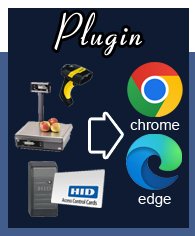
Free resident plugin that sends scale weight, barcode scans or any peripheral data directly into a specific field of Google Chrome or Microsoft Edge. Optionally simulate an ENTER key or click a button after filling.
Yes. The SCB-R9000 is one of the most-configured scales with Bill Redirect. Both the RS-232 and USB versions are supported. The USB version uses HID and works without driver installation.
Yes. Bill Redirect supports both continuous-stream and on-demand (print-button) Fairbanks scales. For on-demand scales, the weight is sent when you press the scale's Print/Send button.
Yes. Bill Redirect can read the Fairbanks stability flag and only forward the weight when the scale reports it as stable. This prevents the typical issue of weighing a moving package.
Yes, provided the scale has an RS-232 output. Bill Redirect doesn't care about the scale's age — only the data protocol.
Yes. You can switch destination apps without reconfiguring Bill Redirect (in 'Send to keyboard' mode). Or you can create profiles with different destinations and switch between them with a hotkey.
Full-featured trial. $45 CAD per computer. Works on all Windows versions from 98 to 11.