
 v1.0Q · 2014-06-05
Microsoft Excel plugin
Free resident plugin software that creates a real-time connection between Bill Redirect and your Microsoft Excel. Write the scale weight directly into a specific cell — no manual copy/paste.
Bill Redirect is the leading serial scale shipping software for Windows. It captures the weight from any RS-232 serial scale or USB postal scale and sends it directly into the weight field of your shipping application — parcel shipping software, desktop shipping applications, USPS web shipping, PC postage software, multi-carrier web platforms, PC postage software, accounting software, or your own custom software. $45 CAD per computer.
Download the official Bill Redirect setup manual that matches your scale type. Each manual gives you the complete configuration step-by-step, with screenshots, for the type of scale you have.

Complete step-by-step guide to configure any serial RS-232 scale with Bill Redirect.
Download PDF →
Step-by-step guide for USB postal scales: Mettler Toledo PS60/PS90, Pitney Bowes, Fairbanks, X.J., CHARDER, Pelouze, SANFORD, DYMO, PC postage software, ELANE.XM, Elane Plus BT Bluetooth, bundled USB postal scales.
Download PDF →
Setup takes 5 minutes. Once configured, weighing packages becomes part of your normal workflow — no extra clicks, no manual typing, no errors.
Download the free trial from billproduction.com, run the installer on your Windows computer (98 to 11), and launch the program.
Plug your RS-232 scale into a serial COM port (or USB-to-serial adapter), or your USB postal scale into a USB port. No special driver needed.
In Bill Redirect, open the COM port settings and choose your scale's port and baud rate (usually 9600 or 1200 for postal scales).
Pick 'Send to keyboard' (universal) or 'Send to specific field' if you want to target one field in your shipping app.
Launch any Windows-based shipping software or your custom app. Place the cursor in the weight field.
Place a package on the scale. The weight appears instantly in the cursor field, exactly as if you had typed it. Press Enter to confirm — done.
Tested and confirmed compatible with scales from these manufacturers. If your scale has an RS-232 serial port or USB connection, it almost certainly works.
Including PS90, PS60 USB, BC-30, BC-60, BBA-465, IND570, Ariva. Both RS-232 and USB models supported.
Mettler Toledo guide →Including Ultegra series, SCB-R9000 USB, Aegis, FB1100, FB2200, FB3000, and legacy serial RS-232 models.
Fairbanks guide →Dymo S100, S150, S180, M5, M10, M25 USB postal scales. The most common scales for small e-commerce shippers.
Dymo guide →Pelouze 4040, PE5, 7510, 7515 USB postal scales and other Sanford-branded models.
Pelouze guide →USPS Postal & Freightscale, official USPS-branded USB scales, and any postal counter scale.
USPS scale guide →Download the free full-featured trial. Configure it in 5 minutes. $45 CAD per computer when you decide to keep it.
Not tied to any specific shipping platform. Works at the keyboard level, so any past, present or future shipping app is automatically compatible. Your investment is future-proof.
One license per computer.
Configuration and integration support is free. Email info@billproduction.com with your scale model and shipping software, and you'll usually get a tailored solution the same day.
Bill Redirect has been the go-to scale-to-keyboard software since 2003. Used by thousands of shipping departments, postal counters and e-commerce stores worldwide.
Less than 5 MB. Runs silently in the system tray. Almost zero CPU usage. Doesn't conflict with your shipping software or antivirus.
Detailed step-by-step PDF tutorials for every common scale-shipping scenario. Plus custom integration help if your case is unique.
Two free plugins to send your scale weight even further — directly into Microsoft Excel cells, or into a specific field of Google Chrome / Microsoft Edge.
v1.0Q · 2014-06-05
Free resident plugin software that creates a real-time connection between Bill Redirect and your Microsoft Excel. Write the scale weight directly into a specific cell — no manual copy/paste.
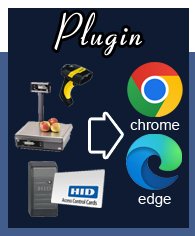 v2026.06.07.13 · Chrome & Edge
Free resident plugin that sends scale weight, barcode scans or any peripheral data directly into a specific field of Google Chrome or Microsoft Edge. Optionally simulate an ENTER key or click a button after filling.
Install Bill Redirect on your Windows computer, connect your RS-232 scale to a serial port (or USB-to-serial adapter), select the COM port in Bill Redirect, choose 'Send to keyboard' mode, then place your cursor in the weight field of your shipping software. The weight will appear automatically as if you typed it.
All of them. Bill Redirect works at the keyboard level, so any shipping software that accepts keyboard input works: parcel shipping software, desktop shipping applications, USPS web shipping, PC postage software, PC postage software, multi-carrier web platforms, shipping platforms, shipping APIs, fulfillment platforms, shipping platforms, accounting shipping modules, discount shipping platforms, custom in-house apps, ERP systems, and any web-based shipping platform in Chrome, Edge or Firefox.
Virtually any RS-232 serial scale or USB postal scale: Mettler Toledo (PS90, PS60 USB, BC-30, BC-60), Fairbanks Ultegra SCB-R9000 USB, Dymo S100/S150/S180/M5/M10/M25, Pelouze 4040/PE5, USPS Postal & Freightscale, Pitney Bowes, bundled USB postal scales, PC postage software, Avery Weigh-Tronix, A&D, Ohaus, Salter Brecknell, NCI, Doran, Cardinal Detecto, CHARDER, SANFORD, ELANE.XM, Elane Plus BT Bluetooth scale, Adam Equipment, Rice Lake.
No. Bill Redirect is completely invisible to your shipping software. It sends keystrokes through the standard Windows keyboard buffer, so the shipping app cannot tell whether a person typed the weight or whether Bill Redirect sent it. No plugin, driver or modification of the shipping software is needed.
Yes. Bill Redirect runs on Windows 98, XP, XPe, NT4, Vista, 7, 8, 10 and 11 — both 32-bit and 64-bit. The same license works on all versions.
Yes. Download the full software for free at https://www.billproduction.com/Bill_COMtoKB.ZIP and try it as long as you want. The trial has a periodic reminder message but no time limit and no feature limit. The license ($45 CAD) just removes the reminder.
Email info@billproduction.com with your scale model. The configuration and integration service is free, and most cases are solved the same day. Our developers can also create a custom parser for unusual protocols at no extra cost.
The most reliable scale shipping software on the market since 2003.