 Bill Production
BELL SCHEDULER
Bill Production
BELL SCHEDULERFACTORY · WAREHOUSE · OFFICE · SCHOOL
Bill Production
BELL SCHEDULER
BillProduction Bell Scheduler rings bells, sirens and chimes on a 7-day weekly schedule — for factories (shift start, lunch, breaks, end of shift), warehouses, offices and stores, and schools (recess, class start and end). It drives affordable WAVESHARE network relay controllers (under $100 CAD on Amazon) and Symcod Bridge-IP devices, runs as a Windows service, and only costs $70 CAD per year.
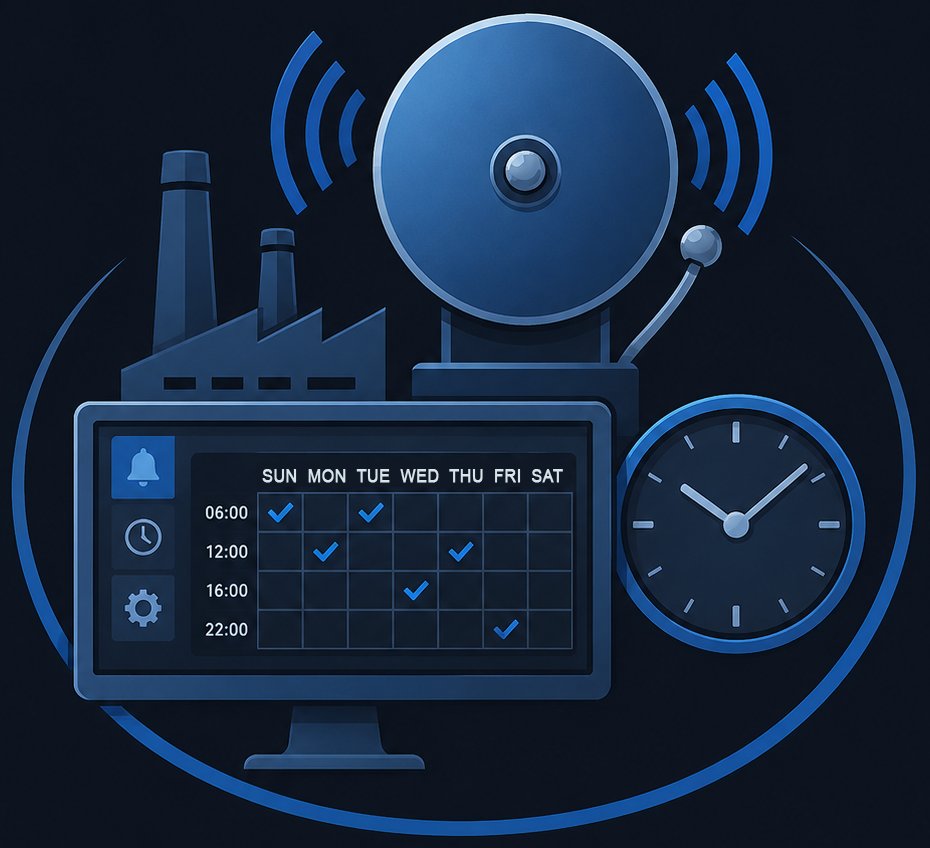
Set every shift start, lunch, break, and end-of-day chime once — then leave it running. The software runs as a Windows service and rings the right relay at the right moment, every weekday and weekend you've configured.

Have an unusual schedule? A relay controller we haven't tested yet? Send your case to info@billproduction.com and we'll integrate it for free — usually same day.
From shop-floor sirens to recess bells — the same software, with the schedule that fits your operation.

Mark the start of each shift, the lunch period, every coffee break and the end of day. Synchronize multiple production lines on one common bell.

Coordinate team changes, picking pauses, dock breaks and end-of-shift across the building. Different zones can have different schedules.

Trigger door chimes at opening, closing and lunch closing. Drive an emergency siren or a discreet attention signal at programmed times.

Class start, class end, recess, lunch, end of day. Different schedules for different days, holidays and exceptions all handled.
BillProduction Bell Scheduler is Windows software that fires a relay on a programmed schedule. Each relay drives whatever electrical load you wire it to — a factory siren, a corridor bell, a school chime, a public-address tone, an emergency alert. The schedule repeats every week, 7 days at a time, with full support for holidays and exceptions.
The software runs as a Windows service. That means your bells continue to ring even when no user is logged on, after a server reboot, in an unattended IT closet — without needing a screen, a keyboard or a user session. You set it up once, and you forget it.
Configuration is straightforward: pick the time, pick the day(s), pick the relay, pick the duration. Repeat for every event you need. If you already have an existing schedule in Symcod's Librairie-IP software, the data can be imported directly — no re-entry.
No proprietary hardware lock-in. We support the relay controllers that are already on the market — including the cheap and reliable ones.
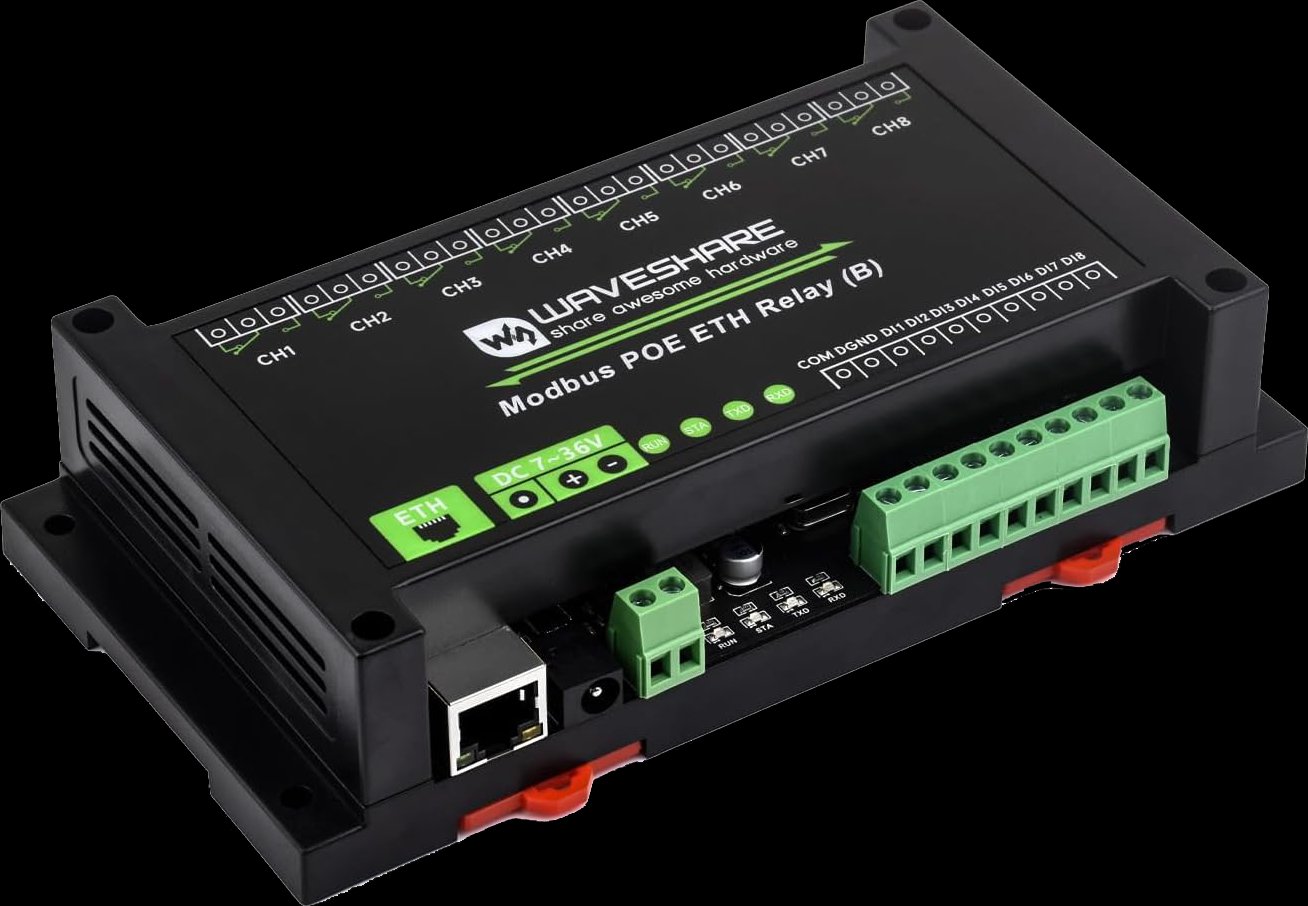
The popular WAVESHARE Modbus/Ethernet relay boards — widely available on Amazon and most electronics retailers. Drive 8 or 16 relay channels per controller, all over your existing network.
Typical controller price: under $100 CAD — that's a complete relay base for less than the annual software fee.
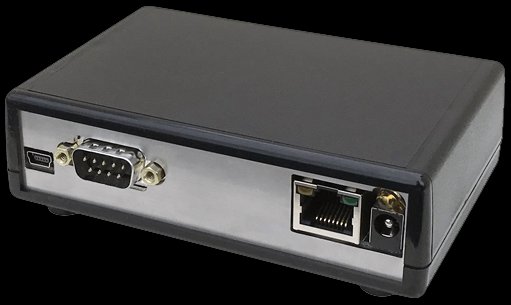
Already running Symcod Bridge-IP hardware? Bill Scheduler talks to it natively — you can replace your existing scheduler without changing the relay infrastructure.
Already deployed at sites that previously used Librairie-IP.
Define a different schedule for every day of the week — Monday through Sunday. The cycle repeats automatically, week after week.
Bells ring even when no user is logged on. Survives reboots. No screen or keyboard required on the host computer.
Drive any WAVESHARE network relay controller — the affordable, widely available Modbus/Ethernet boards from Amazon and other retailers.
Native support for Symcod Bridge-IP relay devices — keep the relay infrastructure you already have.
Import bell schedule data directly from Symcod's Librairie-IP software — migrate without re-entering every event.
Create as many schedules as you need — only one is active at a time. Set a schedule as Active, Active during a date range (summer hours, holiday season), or Disabled. Switch in one click.
Skip statutory holidays, summer breaks or maintenance days without rebuilding the whole schedule.
Got a controller we don't support yet? Send us the protocol — we add it for free, usually within days.
Special schedule rules, integration with your time-and-attendance system, custom relay patterns — we adapt the software to your needs.
Plug a WAVESHARE relay controller (or your existing Symcod Bridge-IP) into your LAN. Wire your bell, siren or chime to one of the relay outputs. Assign it an IP address from your DHCP or set a static one.
Download BellRingingManagerSetup.zip and install on any Windows 10, 11 or Windows Server machine on the same network. Register the relay controller's IP address — the software detects compatible models and lets you assign a name to each relay channel. The complete user manual (PDF) walks through every step.
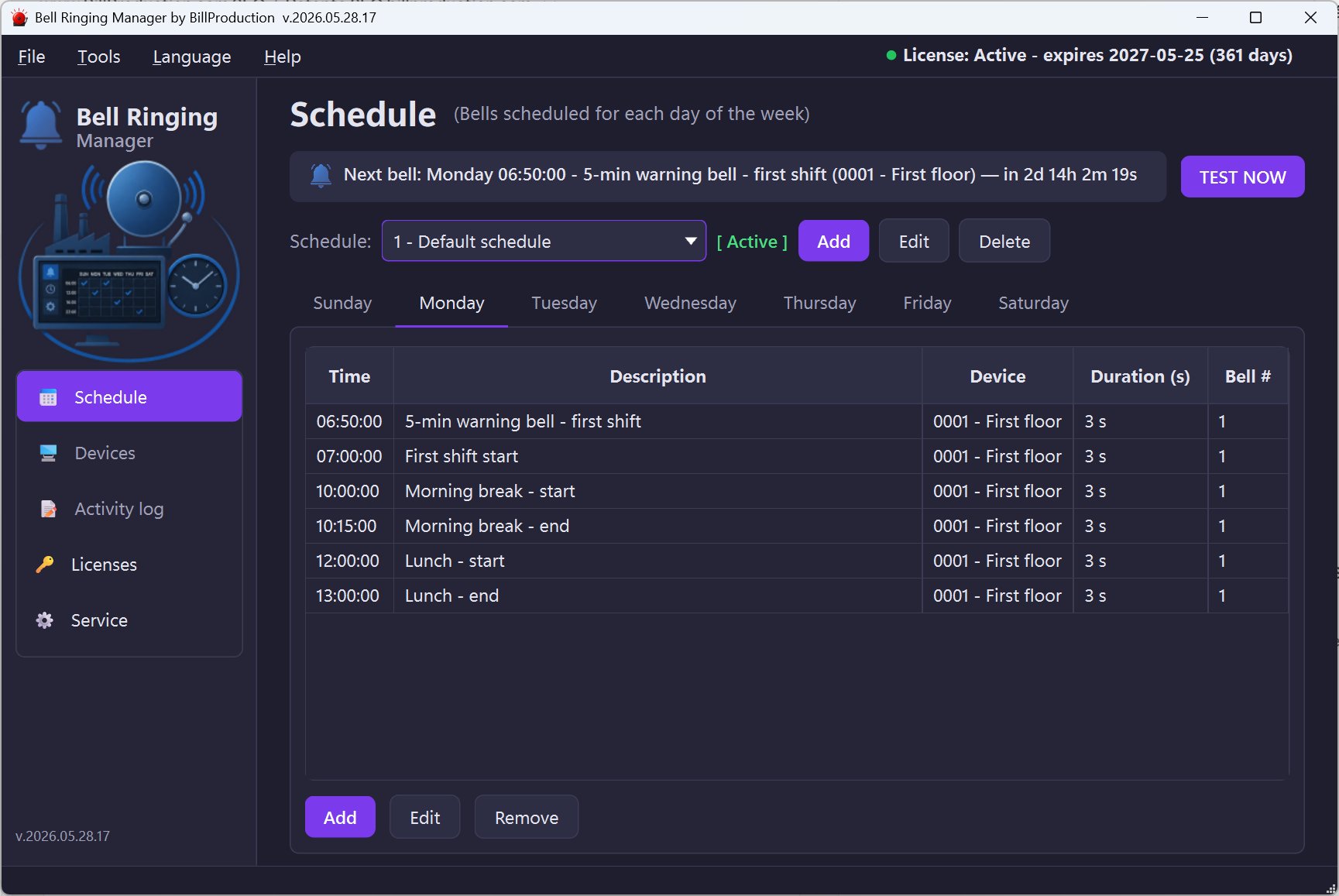
For each event (shift start, lunch, break, end of class, etc.), enter the time, the days of the week, the relay channel and the ring duration. Repeat for every event you need. Already have a schedule in Symcod Librairie-IP? Import it in one click.
Enable the service. The scheduler now runs in the background — bells fire on schedule, even after reboots, even with no one logged on. Set it once, let it run.
WAVESHARE controllers ship next day from Amazon. Bill Scheduler installs in minutes. Your operation runs on a schedule by tonight.
Simple yearly pricing per computer. No hidden fees. Free hardware integration included.
$70 CAD per year, per computer running the scheduler service. Each relay controller (WAVESHARE, Symcod Bridge-IP) is purchased separately from the hardware vendor.
It's Windows software that triggers bells, sirens, chimes or any electrical load on a predefined weekly schedule. Used in factories to mark shift start, lunch, breaks and end of shift; in warehouses for crew changes; in offices and stores for opening hours; in schools for recess, class start and class end. The software drives affordable network relay controllers from WAVESHARE and Symcod Bridge-IP.
WAVESHARE network relay controllers — including the popular Modbus/Ethernet relay boards available for under $100 CAD on Amazon and other retailers — and Symcod Bridge-IP devices. If you have a different relay controller, we integrate it for free on request.
Bell Scheduler is sold as an annual subscription: $70 CAD per year per computer. The price includes free integration of new relay controllers on request and free configuration support.
Yes. The scheduler runs as a Windows service in the background — bells continue to ring on schedule even when no user is logged on and after a server reboot. No screen, no keyboard, no user session required.
Yes. You can create as many schedules as you need — for example a regular school year schedule and a summer schedule, or a winter shift pattern and a holiday-season pattern. Each schedule can be set to one of three states: Active (currently in use), Active during a date range (the scheduler automatically activates it for a specific period — useful for summer hours or seasonal events), or Disabled (kept for later use but ignored). Only one schedule is active at a time, and switching takes one click.
Yes. Bell Scheduler can import bell schedule data from Symcod's Librairie-IP software, so you can migrate an existing installation without re-entering every event.
Yes. We adapt the software to your specific needs — special schedule rules, additional relay protocols, integration with your time-and-attendance system. Contact info@billproduction.com to discuss your requirements.